Getting Started with cURL
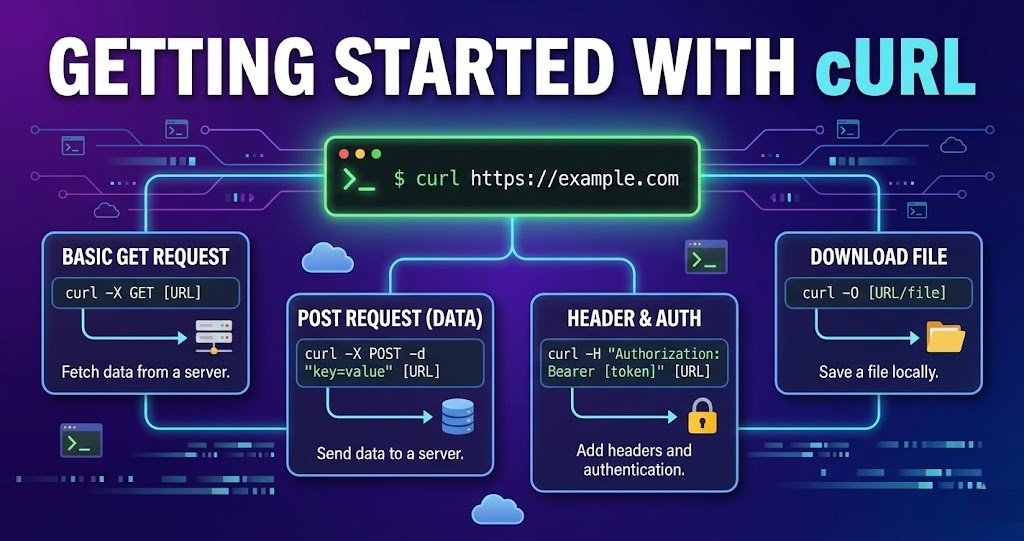
What is cURL
cURL is a small command-line tool that lets you talk to websites and servers.
Think of cURL as a messenger
You give it a URL
It goes to that server
It brings back the response (data, file)
What people usually use cURL for
Download data from the internet
Send data to an API
Test whether a server is working
cURL = a tool to send requests and get responses from the internet, without a browser.
Why programmers need cURL
Programmers need cURL because it lets them communicate with servers quickly and directly, without building an app or opening a browser.
cURL is like a remote control for the internet. You press buttons (commands), and servers respond.
Why it’s useful for programmers
1. Test APIs easily
Before writing code, programmers use cURL to check:
Does the API work?
What data does it return?
Are errors handled correctly?
2. Send data to servers
Programmers can send:
Login details
Form data
JSON data
3. Debug problems fast
When something breaks, cURL helps answer:
Is the server down?
Is the request wrong?
Is authentication failing?
No UI. No guessing. Just truth.
4. Works everywhere
cURL runs on:
Windows
macOS
Linux
Making your first request using cURL
Let’s make your very first cURL request
Open your terminal
Windows → Command Prompt / PowerShell
macOS / Linux → Terminal
Type your first cURL command
curl https://example.com
curl→ the toolhttps://example.com→ the websitecURL sends a GET request
The server sends back data
cURL prints that data on your screen
Understanding the result
Save the response to a file
curl https://example.com -o page.html
Understanding request and response
Let’s break request and response down in the simplest possible way
The internet works on a question → answer model.
Request = “Hey server, I want something”
Response = “Here you go” (or “Sorry, can’t do that”)
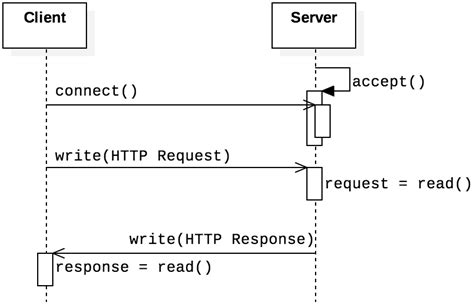
What is a Request?
A request is what your computer sends to a server.
It usually includes:
What you want (a page, data, file)
How you want it (GET, POST, etc.)
Extra info (headers, data)
What is a Response?
A response is what the server sends back.
It includes:
Status code
Headers (Info about the response)
Body (The actual data)
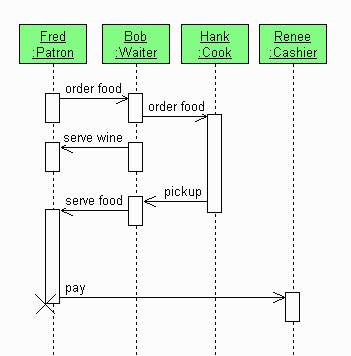
Real-life analogy
Imagine a restaurant:
Request → You order food
Server → Kitchen
Response → Food arrives (or “Sorry, item not available”)
A request asks for something. A response is the answer.
Using cURL to talk to APIs
An API is just a server that:
receives requests
returns data (usually JSON)
cURL is how programmers talk to that API from the terminal.