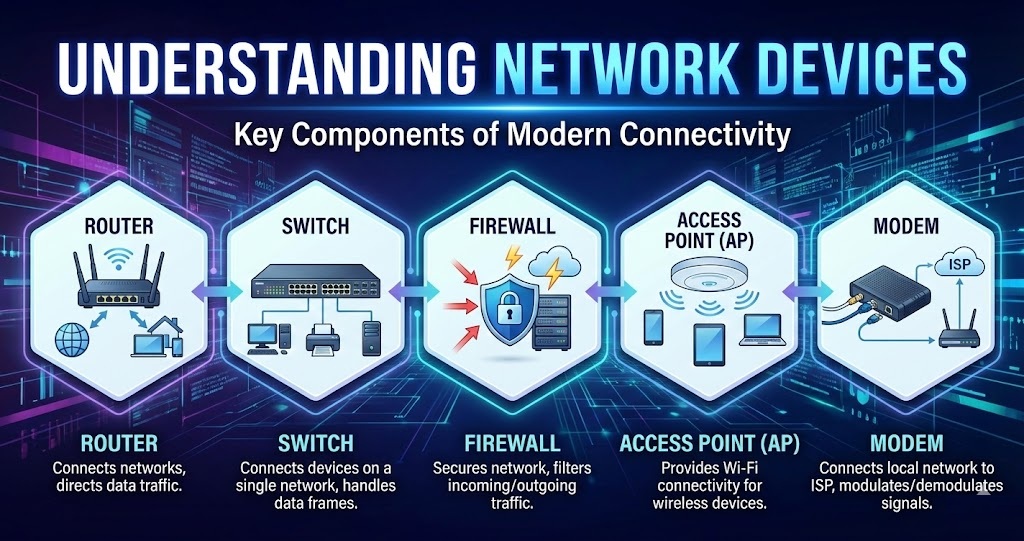
Understanding Network Devices
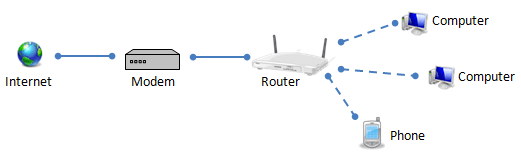
What is a Modem and how it connects your network to the internet?
A modem (short for Modulator–Demodulator) is a device that connects your home or office network to your Internet Service Provider (ISP).
Your ISP sends internet data over physical lines (cable, fiber).
A modem’s job is to translate that signal into digital data your devices understand—and back again.
Modulation → Converts digital data into signals
Demodulation → Converts incoming signals back into digital data
A modem connects your network to the internet
ISP signal enters your home
- Via cable, fiber optic line, telephone line
Modem receives the signal
Authenticates with your ISP
Decodes the incoming data
Modem outputs internet data
- Usually via Ethernet
Router connects
Router shares the connection with multiple devices
A single computer connects directly to the modem
What is a Router?
A router is the traffic controller of your network.
A router directs traffic
A device sends data
- Your phone requests a webpage
Router receives the packet
- Packet includes a destination IP address
Router checks its routing table
- Determines the best path to the destination
Packet is forwarded
Sent to the modem → ISP → internet
Or to another device inside your local network
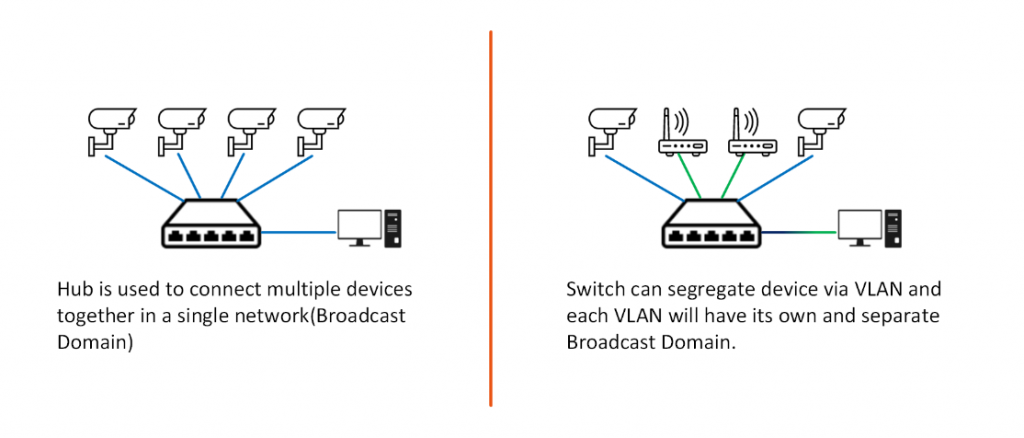
Switch vs Hub
Hub
How a hub works
Receives data from one device
Broadcasts it to ALL ports
Every connected device sees the data
Problems
Network collisions
Slow performance
Switch
How a switch works
Learns MAC addresses
Sends data only to the intended device
Benefits
Faster
More secure
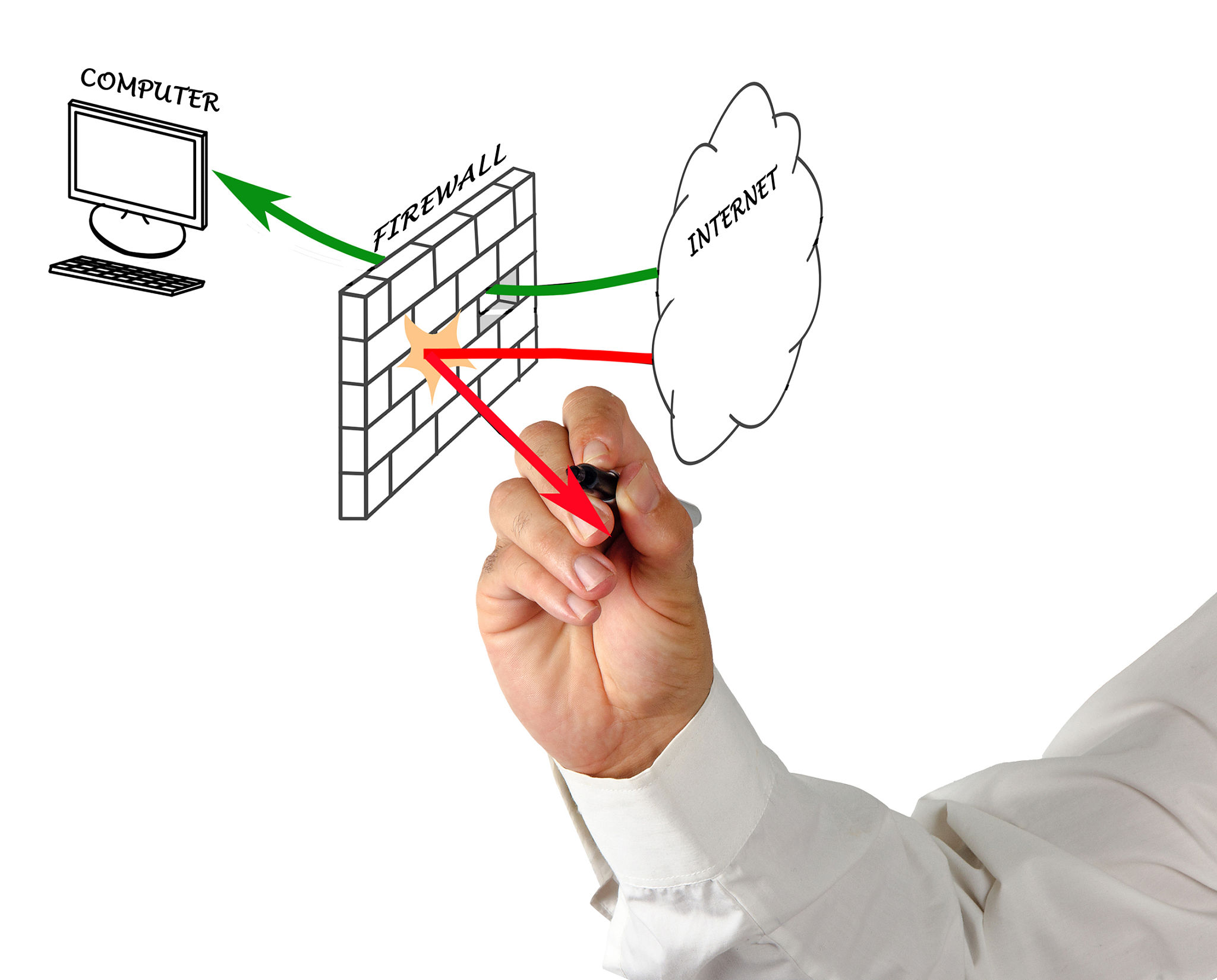
What is a Firewall and why security lives here?
A firewall is a security device (hardware, software, or both) that monitors, filters, and controls network traffic based on predefined security rules.
The firewall sits at the network boundary where:
All incoming traffic enters
All outgoing traffic leaves
Depending on type, a firewall inspects:
| Check | What it looks at |
| IP address | Who is sending / receiving |
| Port number | Which service (HTTP, SSH, etc.) |
| Protocol | TCP, UDP |
| Payload | Actual data content |
Simple analogy:
Think of a firewall as:
Airport security
Checks IDs (IP)
Checks tickets (ports)
Blocks dangerous items (malware)
Where firewalls exist:
Home routers (basic firewall)
Corporate networks
Cloud environments
Your computer (software firewall)
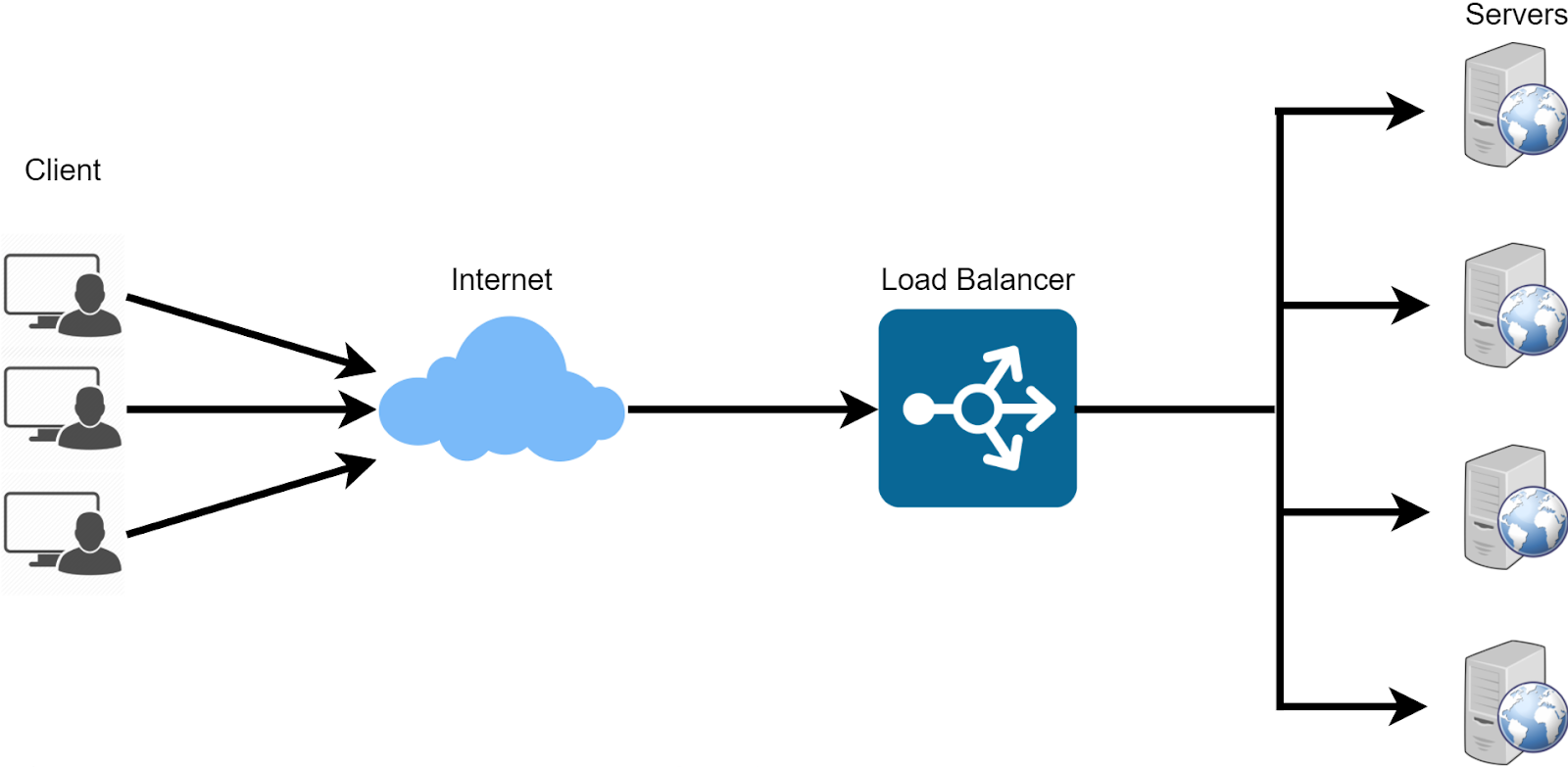
What is a Load Balancer and why scalable systems need it?
A load balancer is the traffic distributor that keeps systems fast, reliable, and scalable.
How a load balancer works
Client sends a request
- Browser or app hits a public IP / domain
Request reaches the load balancer
- Single entry point for all traffic
Load balancer selects a backend server
- Based on rules/ algorithms
Server processes the request
- Response goes back through the load balancer to the client
Simple analogy
Think of a load balancer as:
A restaurant host
Seats guests across multiple tables
Avoids crowding
Keeps service fast