How DNS Resolution Works
What is DNS and why name resolution exists
DNS (Domain Name System) is like the phonebook of the internet.
Humans prefer names like google.com, but computers communicate using IP addresses like 142.250.190.14.
DNS is the system that translates human-friendly domain names into machine-friendly IP addresses.
If name resolution didn’t exist:
You’d have to memorize IP addresses for every site
Websites changing servers would break everything
The internet would be basically unusable for normal people
Name resolution bridges the gap between human convenience
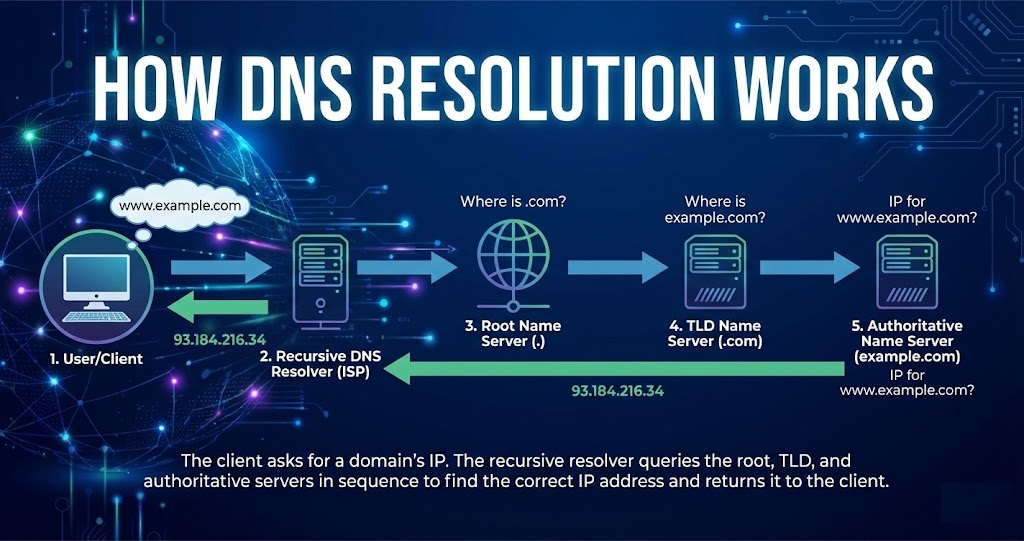
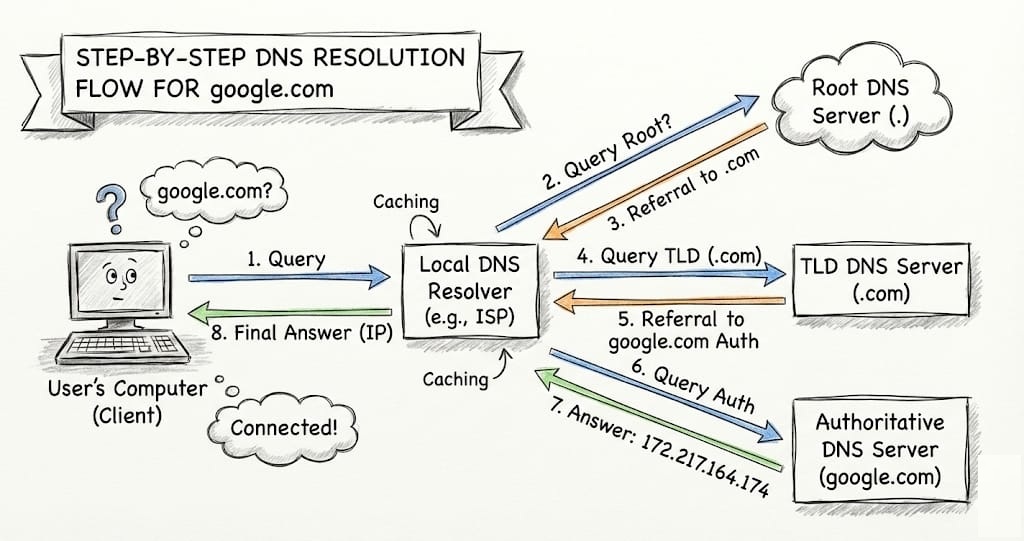
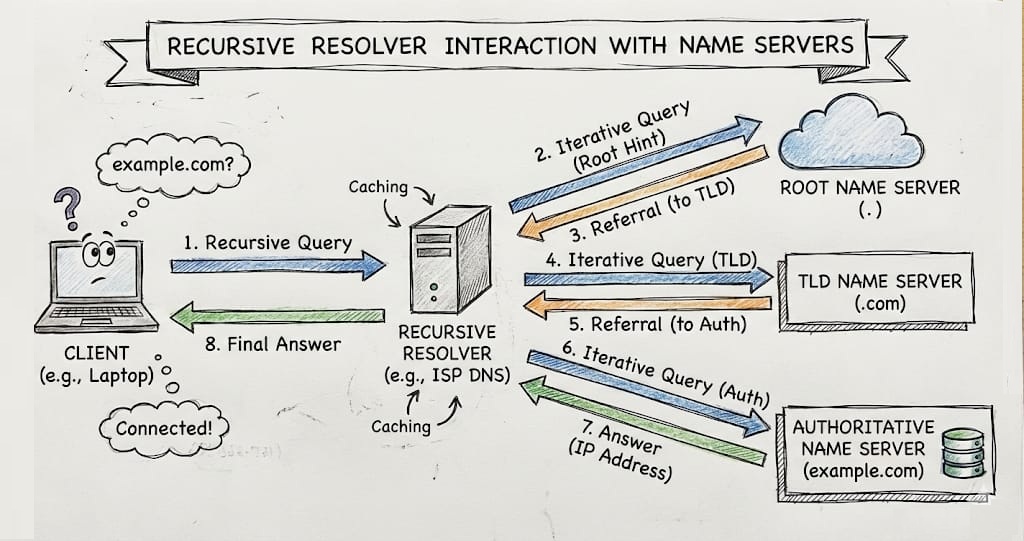
How DNS name resolution works
You type
example.comin your browserYour computer asks a DNS resolver (usually from your ISP or Google DNS)
If it’s not cached, the resolver asks:
Root DNS server → “Where is
.com?”TLD server → “Where is
example.com?”Authoritative DNS server → “Here’s the IP”
The IP address is returned
Your browser connects to that IP and loads the website
What is the dig command and when it is used
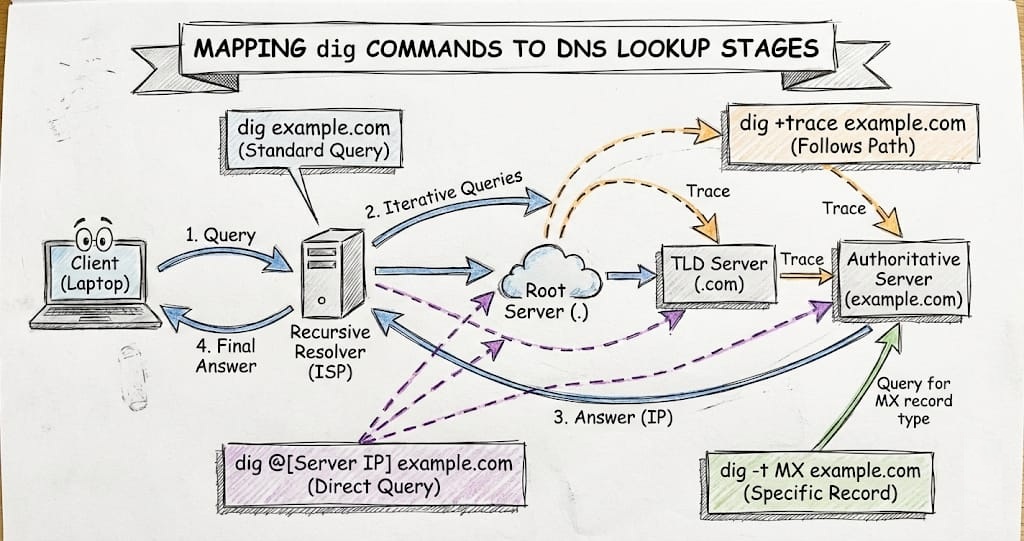
dig (Domain Information Groper) is a command-line DNS lookup tool used to query DNS servers directly and inspect how DNS name resolution works.
Why dig exists
Browsers and OS DNS lookups hide a lot of details.dig shows everything, making it perfect for debugging, learning, and verification.
You use dig when you need:
Precise DNS answers
Troubleshooting DNS issues
Security & validation
Learning how DNS really works
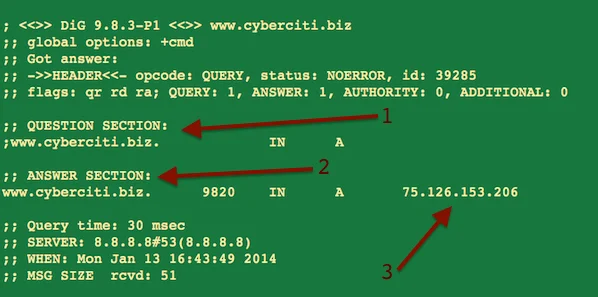
A typical dig output includes:
QUESTION SECTION → What you asked
ANSWER SECTION → The DNS response
AUTHORITY SECTION → Which DNS servers are authoritative
ADDITIONAL SECTION → Extra helpful data
Query time → How fast DNS replied
SERVER → Which DNS server answered
Understanding dig . NS and root name servers
let’s connect the dots between dig, NS records, and root name servers — this is where DNS stops being magic and starts making sense.
Understanding
digdigasks DNS servers questions and shows you exactly how they answer.What does
NSmean indig?NS = Name Server
These servers are responsible for answering DNS questions for this domain.
The DNS hierarchy
                 (Root .)
                    |
                 (.com)
                    |
               (google.com)
                    |
              (www.google.com)
Root name servers (the top of DNS)
Root name servers sit at the very top of DNS.
Who is responsible for this TLD (
.com,.org,.in, etc.)?
Understanding dig com NS and TLD name servers